Analytics
Your registration funnel and attendance at a glance.
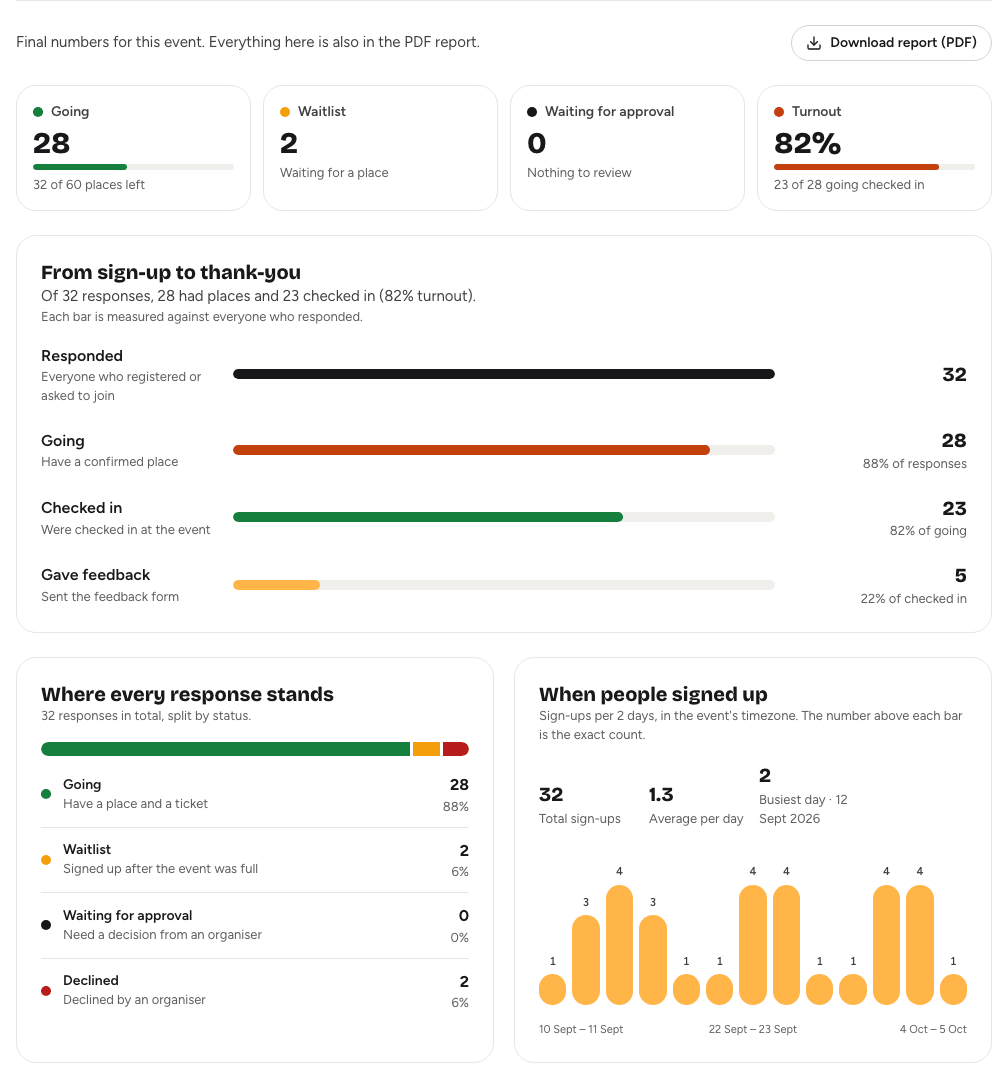
The Analytics tab shows how your event is doing in plain numbers: how many people signed up, how many have a place, how many turned up, and how many gave feedback. Before the event it shows live numbers, so you can see whether to promote it more or open more places. Afterwards, it shows the final picture.
Opening analyticsLink to this section
Open the event from your dashboard and choose the Analytics tab. Until someone signs up, the tab just says "No responses yet".
Key numbersLink to this section
Four numbers sit across the top:
| Number | What it tells you |
|---|---|
| Going | People with a confirmed place, and how many places are left, "Full", or "No capacity limit set". On team events, places are counted in teams and solo registrants. |
| Waitlist | People waiting for a place to open up. |
| Waiting for approval | Sign-ups that need your decision. Choose Review to go to the Guests tab. |
| Turnout | The share of people going who were checked in. It shows once check-in starts. |
From sign-up to thank-youLink to this section
This chart follows people through four steps:
- Responded: everyone who registered or asked to join.
- Going: everyone with a confirmed place.
- Checked in: everyone checked in at the event.
- Gave feedback: every response to the feedback form.
Each bar is measured against everyone who responded, so you can compare the steps at a glance. Each step also shows its share of the step before, such as "75% of going". A sentence above the chart sums it up, for example "Of 80 responses, 62 are going and 40 checked in."
Checked in and Gave feedback stay empty until check-in or feedback starts, or until the event ends.
Where every response standsLink to this section
This card splits every response into Going, Waitlist, Waiting for approval and Declined, so you can see at a glance how many decisions are still open.
When people signed upLink to this section
A bar chart of sign-ups per day, in the event's time zone. For events that took sign-ups over a long period, each bar covers several days. Above each bar is the exact count.
Next to the chart you'll find:
- Total sign-ups
- Average per day
- Last 7 days, while the event is still to come
- Busiest day, with how many signed up that day
Use it to see which announcements brought people in.
After the eventLink to this section
Once the event ends, the tab switches to final numbers, and owners and admins see Download report (PDF). The report has everything on this tab and more, ready to share with sponsors or your team. See The post-event report.
Good to knowLink to this section
- The numbers are counts only. To see who registered, use the Guests tab. See The guest list.
- To download the guest list with check-in times, see Exporting guest data.
- Feedback numbers come from your feedback form. See Feedback forms.