Running a hackathon
How submissions, judging and results fit together.
Yuyu can run the competitive side of a hackathon, game jam or pitch night: teams and solo entrants submit a project, judges score each one against your rubric, and you announce the winners on a public results page. This article shows how the pieces fit together. The other articles in this section cover each step in detail.
What you needLink to this section
- A one-off event. Submissions aren't available on the dates of a recurring series.
- Either registration mode. On a team event, each team enters one project. On an individual event, each person enters their own. See Setting up team registration.
- A live event. Entrants can only see the submission form once the event is published.
Turning on submissionsLink to this section
- Open the event and choose the Settings tab.
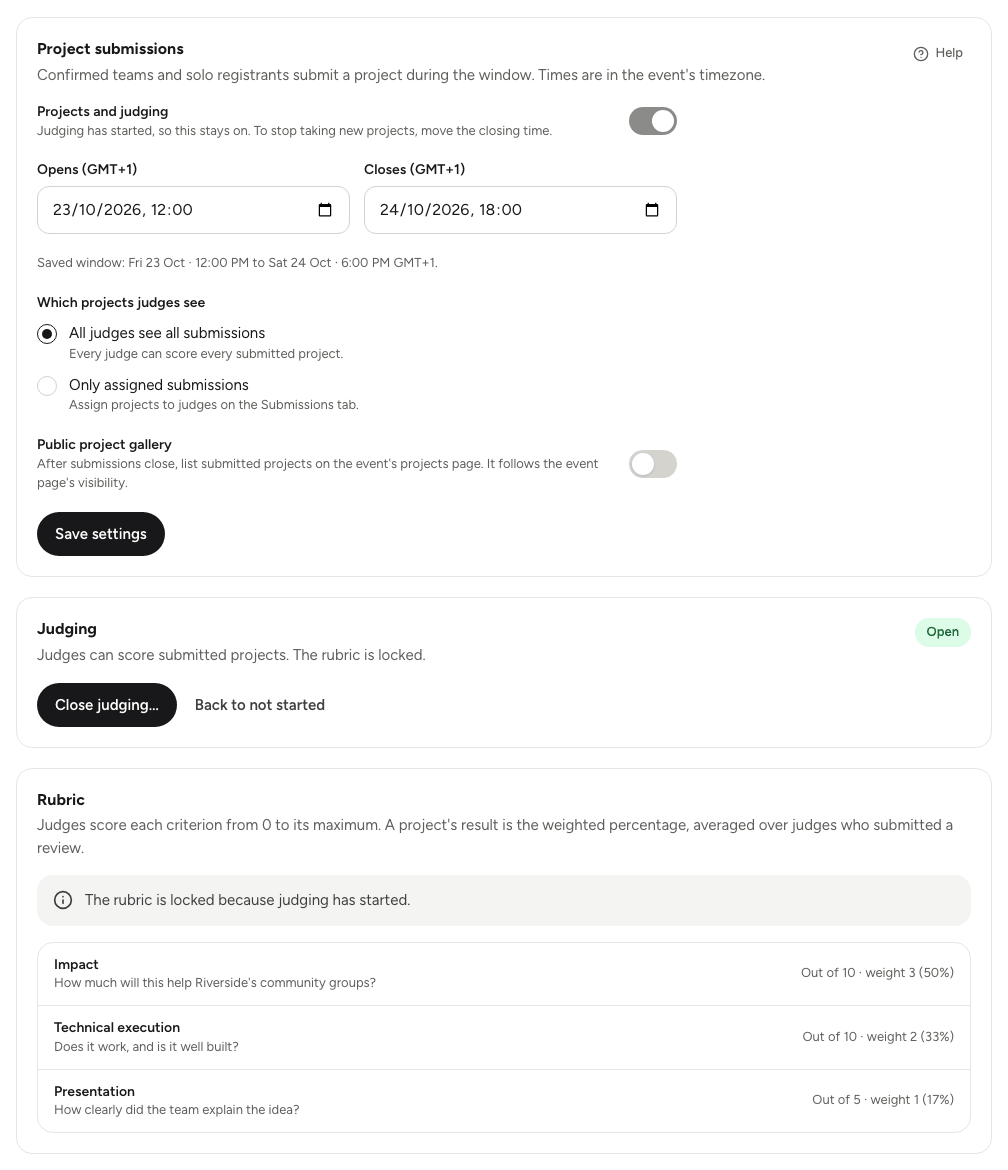
- In the Project submissions card, turn on Projects and judging.
- Set when submissions Opens and Closes. Times are in the event's time zone.
- Choose Save settings.
A new Judging tab appears on the event dashboard, and the submission settings move there. From now on, everything about the competition lives in that tab.
If the event is still a draft, Yuyu warns you: entrants can't see the form until you publish the event from the Overview tab. See Publishing and visibility.
The Judging tabLink to this section
The Judging tab is split into sections:
| Section | What it's for |
|---|---|
| Setup | The submission window, which projects judges see, the public gallery, hackathon emails, opening and closing judging, and the rubric. |
| Submissions | Every project, with filters, search, judge assignments and disqualification. |
| Judges | Your invited judges, and the owners and admins who can also judge. |
| Progress | Judges' progress, projects that need more reviews, and automatic assignment. |
| Score | Where you score projects yourself, if you're judging too. |
| Results | The ranked projects, the CSV export and publishing the results page. |
| Awards | Your awards and the projects that win them. |
From start to finishLink to this section
A typical competition runs like this:
- Prepare. Turn on submissions, set the window, build the rubric, and invite judges. See Judges, rubric and scoring.
- Collect projects. Confirmed teams and solo entrants submit during the window from their ticket or team page. See Submissions and the gallery.
- Share out the work. If judges should only see some projects, assign them by hand or automatically. See Assigning judges and tracking progress.
- Open judging. Judges score each project against the rubric and submit a review.
- Close judging. The scores are frozen and the ranking is final.
- Pick winners and publish. Add awards, choose winners from the ranked list, and publish the results page. If you turned on results emails, every confirmed entrant gets one. See Awards and results.
Judging statusLink to this section
Judging moves through three states, shown on the Judging card in Setup:
- Not started. Judges can read submissions but not score them. You can still change the rubric.
- Open. Judges score and submit reviews. The rubric is locked.
- Closed. Scores are frozen. You can pick winners and publish results.
You can reopen judging after closing it, until the results are published.
What stays privateLink to this section
Judges see each project's title, summary, links and the team or entrant name. They never see entrants' email addresses, registration answers or ticket links, and they never see a project they're registered on themselves.
The public pages only show project titles, names, links and awards. Scores, ranks and judges' comments are never public.
Good to knowLink to this section
- Entrants' side of the process is covered in Submitting a hackathon project.
- Long lists in the Judging tab keep their filters in the address bar, and you can save the ones you use. See Filters and saved views.