Finding events
Discover, search, organisation pages and short links.
There are four ways to find an event on Yuyu: browse Discover, visit the organisation's own page, follow a short link, or open the link an organiser sent you. All events on Yuyu are free to attend.
Browse DiscoverLink to this section
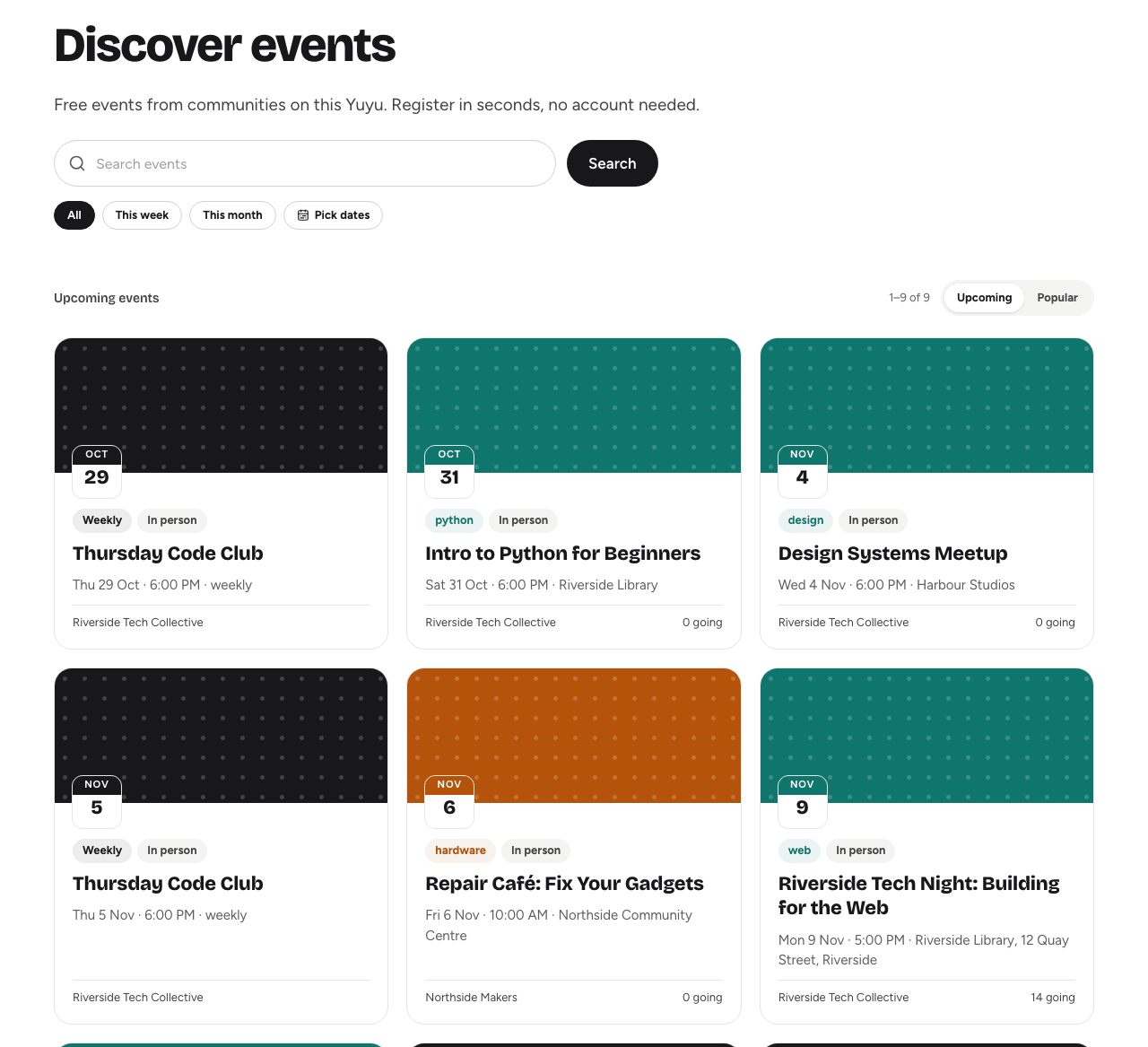
Discover lists every public event on this Yuyu instance that hasn't ended yet. Open it from Discover in the site header.
- Type a word or two into Search events and choose Search. Search looks at event titles and descriptions.
- Narrow by date with All, This week or This month, or choose Pick dates, set From and To, and choose Apply dates.
- Switch the order between Upcoming (soonest first) and Popular (most people going).
- Choose an event card to open its event page.
Results come 12 to a page. To start again, choose the × (Clear search) in the search box.
Dates of a recurring series appear individually, so a weekly meetup shows one card for each upcoming date.
Organisation pagesLink to this section
Every organisation has a public page at its own address, such as example.org/your-community. It shows the organisation's description and its events in two tabs, Upcoming and Past, as a List or a Calendar.
To get there, choose the Hosted by box on any of the organisation's event pages, or ask the organisers for the address.
Short links and shared linksLink to this section
Organisers can give an event a short link made of seven letters and numbers, such as example.org/aB3x9Kq, which is easy to print on a poster or read out. It takes you straight to the event page. Short links work only while the event is Live; otherwise you see a "not found" page.
Organisers can also share the event's full address directly, by email, chat or social media.
Why can't I find an event?Link to this section
Not every event is listed. Organisers choose who can find each one:
| How the organisers set it up | Discover and organisation page | Opening the link |
|---|---|---|
| Everyone | Listed | Works for anyone |
| People with the link | Not listed | Works for anyone with the link |
| Invited people only | Not listed | Works only when you're signed in with an invited, verified email address |
Events that need approval can be listed or unlisted, depending on the organisers' choice.
You also won't find an event that:
- is still a Draft or has been taken Offline by its organisers
- has already ended (it still appears under Past on the organisation page)
If a link you were sent shows "not found", check you copied all of it. For an invite-only event, sign in with the email address the invitation was sent to, and make sure that address is verified. Otherwise, ask the organisers whether the event is live and who it's open to.
Next stepsLink to this section
Found your event? See Registering for an event.