The door station
A PIN-locked check-in page for volunteers without an account.
The door station lets volunteers check guests in without a Yuyu account. You turn it on for the event, then give your door team a link and an 8-digit PIN. They get the scanner and search, and nothing else: no dashboard, no guest list download, no event settings.
Use it when friends, venue staff or student volunteers are helping on the door and you'd rather not make them co-organisers.
Turning the station onLink to this section
- Open the event and choose the Check-in tab.
- Find the Door station card and choose Turn on station.
- The card now shows a QR code for the station link, the PIN, and Copy link.
- Choose Copy PIN to copy the PIN, or Hide to cover it again.
- Send the link and the PIN to your door team, or let them scan the QR code from your screen.
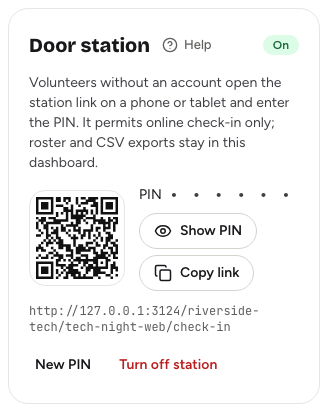
Later, choose Show PIN to see the current PIN again. The same controls also appear at the bottom of the check-in desk, under Venue check-in station.
Using the station at the doorLink to this section
- Open the station link on the phone or tablet you'll use at the door.
- Type the 8-digit PIN on the keypad, or paste it.
- Choose Open check-in.
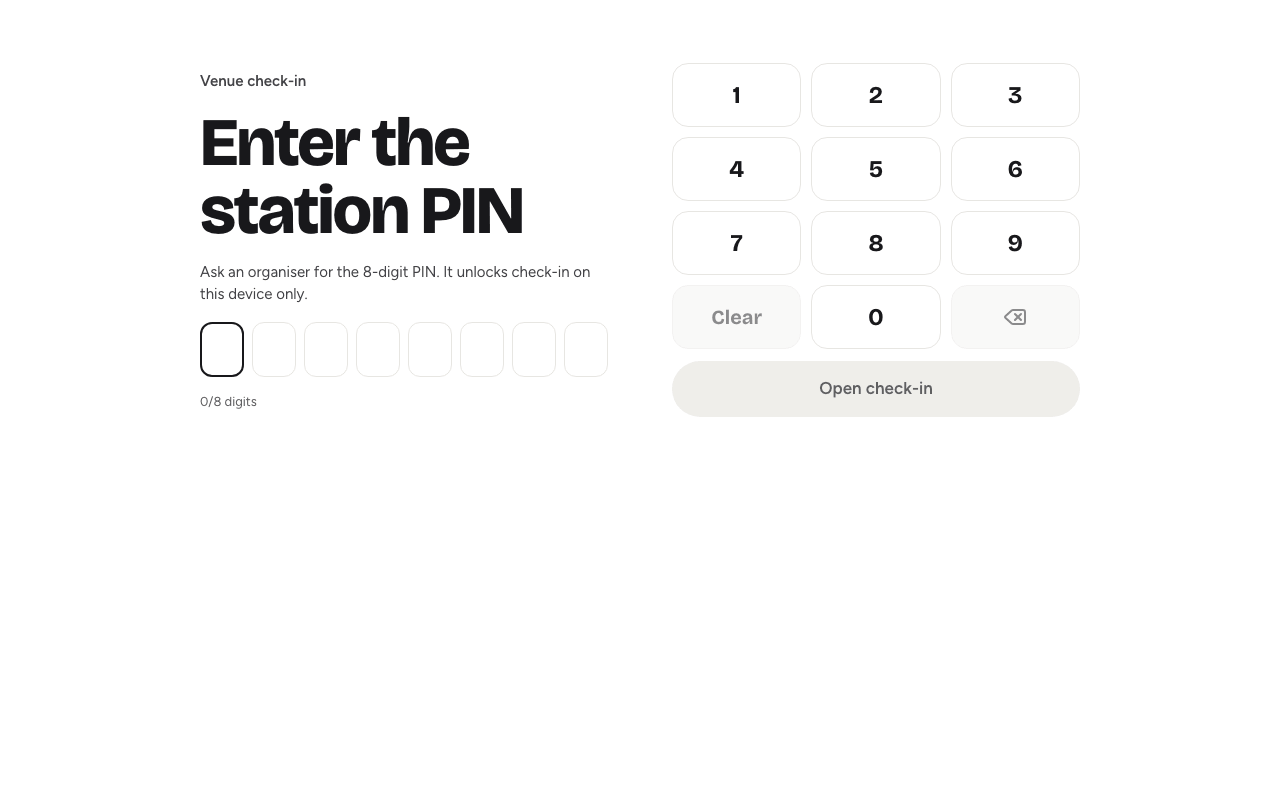
The PIN unlocks the station on that device only. Each volunteer enters it once on their own device.
Once unlocked, the station works like the check-in desk. Volunteers can:
- scan ticket QR codes, paste a ticket link or code, or search by name or email
- confirm each check-in with Confirm or Enter
- let waitlisted guests in with Override waitlist, if you've told them to
- see Recent check-ins and Undo a mistake
- print a name badge after each check-in with ID card printing (see Printing badges)
The same rules apply as on the desk: guests waiting for approval and declined registrations are always blocked.
What the station can't doLink to this section
The station is deliberately limited, because the people using it don't have accounts:
- It only works online. It can't save the guest list for offline use. If your venue's connection is unreliable, use the signed-in desk with offline mode.
- No downloads. It can't export the guest list or attendance.
- Only during the event. The station opens 24 hours before the event starts and closes one hour after it ends. Outside those times the PIN is refused with "This check-in station has closed."
- No custom lists. Custom check-in lists are only on the signed-in desk.
Changing the PIN or turning it offLink to this section
- New PIN creates a fresh PIN straight away. Every device that used the old PIN is locked out and has to enter the new one. Use it if the PIN has been shared too widely.
- Turn off station shuts the station. The link stops working and looks like a page that doesn't exist.
Turn the station off when the event is over. It closes by itself an hour after the end, but turning it off makes sure.
Good to knowLink to this section
- After too many wrong PINs, the station asks the volunteer to wait a little before trying again.
- Check-ins made at the station appear in Recent check-ins on every desk, and the post-event report counts them separately. See The post-event report.
- If a volunteer needs more than the station gives them, invite them as a co-organiser with the Check-in permission. See Event co-organisers.